Arch: Pros Only, But Not Bad
IntroductionArch Linux is one of the few distributions to be optimized for an i686 processor- in other words, it's really fast without having to compile anything. It uses a custom package manager called Pacman (which, surprisingly enough, doesn't seem to spark any legal controversy), which works similarly to Apt in that it has dependency tracking and relies on repositories. Arch's philosophy is to start with a base system and install all the graphical components manually via Pacman. This means you need a working Intertube connection and a fair amount of time on your hands. A caution before you install Arch: Arch is NOT meant for newbies. If you're afraid to get your hands dirty with a little low-level tweakage, you might want to consider trying something else. Installation-Phase One: install base system from CDThe base install went pretty well. User setup is done manually, and as a result, there were only a few steps I had to go through. Partitioning was a breeze- I only needed to set up the mount points and format the / partition. Although the base system is tiny, there's still detailed package selection (optional). All in all, the base install took about 10 minutes from boot to boot. -Phase Two: Setting up the base system
Setting up a wired connection was annoying, but it didn't take that long. After searching around for a bit, I ran "dhcpcd eth0" and the connection worked. It took me about half an hour of looking through the Pacmanual to find something that was right under my nose: to update the database (which I needed to do before installing anything), run "pacman -Sy". Pacman has an annoying number of options, but they're divided into 6 main commands, each with their own options, so it's not a complete mess. -Phase Three: Installing the desktopAfter typing "pacman -S xorg kde" and waiting 30-odd minutes (most of which was spent downloading- the installation itself was extremely fast), I had a working desktop environment. It took a few more "pacman -S"es to make it usable, but thanks to hwd ("pacman -S hwd"), Intel GMA drivers ("pacman -S xf86-video-intel 915resolution"), and a little tweakage, my desktop ran quickly and at full resolution. Obviously, this isn't a "Just Works (tm)" distro, but it's not supposed to be. ArtworkIt's Plastik/CrystalSVG with some (bland) Arch wallpaper. Nothing special... Installed SoftwareThe CD itself comes with barely any software. A full install like the one I used, on the other hand, is pretty good. The kde metapackage doesn't come with amaroK, and Firefox isn't included, but they're both a "pacman -S" away. (The kde package, however, did have MP3 playback.) Installing the xfce4 metapackage yielded a decidedly complete XFCE desktop. Flash, unsurprisingly, wasn't in any of the metapackages I used. Hardware SupportMy wireless card, strange as it might seem, was supported out of the box. But without any nice, easy programs to get it working (short of iwconfig, which worked, but dhcpcd still didn't like it), that didn't really matter. I did, however, get my native screen resolution working with a minimum of tweaking. On the minus side, there's still that nasty little screen bug... Performance/Gaming
As would be expected, Arch ran very fast. Tremulous ran amazingly smoothly, even with a full KDEMod desktop, as did Sauerbraten, even with water refractions and dynamic lighting/shadows.
KDEModArchers get to use KDEMod, a modified version of KDE built specifically for Arch. It isn't really that much different from vanilla KDE, except that it has better artwork (Domino windeco/theme engine) and a slightly better Qt3. The biggest improvement seems to be Domino, which can be installed on other distros anyways. It isn't really anything insanely special. Pros:
-Fast
-Very customizable
-Fast, capable package manager
Cons:
-Very hard to install
-Hardware support is minimal
Friendliness: 2/5- At least you don't have to compile anything. Performance: 4.5/5- It's i686 optimized. If you want anything faster, you'll have to use a source-based distro. Features: 3/5- A basic desktop is easy to install. Packaging: 3.5/5- Good package manager, but no GUI. Artwork: 1/2.5- Nothing special. Community: 2/2.5- The Arch community seems friendly and helpful, the wiki even has an in-depth beginner's guide for newbies.  Overall: 3.2/5 Overall: 3.2/5- A solid distribution, but not recommended for newbies. From Arch (versionless), The Distrogue. Labels: arch, Linux, Reviews
Zenwalk 5.0: Slackware Made Somewhat Easier
IntroductionI tried Zenwalk back at v3.0 and liked it. It was a fast, sleek, minimalist OS based on Slackware, but supposedly only aimed at more technically advanced users. With the release of v5.0, I decided to try it again and see how far it's come in the past year or so. For those who aren't familiar with Zenwalk, here's a brief explanation: Zenwalk is a one-CD installation of Slackware which has a philosophy of only including one program for each task. It was originally called MiniSlack in the pre-1.0 days when it shipped with WindowMaker as the desktop. Now, it's based on XFCE, supposedly has much better hardware detection, and is a more complete desktop overall. It's still based loosely on Slackware, using Slackware's packaging system and using LILO instead of GRUB as the boot loader, but it's a more complete OS out of the box, despite being smaller. Installation
Of all the distributions to use a live/install hybrid CD, Zenwalk isn't one of them. The live CD is usually released a month or so after the main release, and so I found myself jumping straight to the install. It wasn't like I didn't know what to expect: I'd asked around on #zenwalk about a few things, in addition to doing some research on DistroWatch. Zenwalk ships with some of the latest software ( GIMP, Iceweasel, X.Org, Pidgin, and XFCE are all in their latest versions at the time of writing) and includes iwl3945 drivers. The install is text-based, but thanks to some nice framebufferwork, it seems graphical. You'll notice it's text-based once you try to use your mouse, but it's not that bad. It guides you through the usual steps, leaving user setup for after the reboot. The first phase only took 10 minutes from a CD- not bad. ArtworkZenwalk has meh-ish artwork. The window border is pretty much the exact same as the Tyrex style for XFWM. Thanks to XFWM's built-in compositing, you can have windows turn transparent when dragged or resized, all without Compiz- but you have to turn it on yourself. Controls are handled by Clearlooks. Except it's not Clearlooks- it's "Zen". Whatever. It looks like Clearlooks to me. In fact, it *is* Clearlooks rebranded so it shows up as "Zen" in the XFCE settings. But a rose by any other name... As a (relatively) old-time Zenwalker, I switched to the legacy themes because I still think they look cooler. Installed SoftwareZenwalk has a meticulously-trimmed software selection, but that doesn't mean it's incomplete. No way. Wolvix 1.1 "Hunter Edition", for example, is far from incomplete, and it only takes up 480MB on the CD. Zenwalk uses a simple philosophy: "You only need one program for each task." That means there's only one web browser (IceWeasel), only one image editor (GIMP), only one IM-ing client (Pidgin)... But there are a lot of categories. Zenwalk comes with an FTP client ( gFTP), CD burner ( Brasero), CD ripper ( Asunder, which I'd never even heard of before)... On the codec side, MP3 playback is flawless (assuming your sound works), but Flash needs to be installed manually since it isn't open-source (and won't be until Gnash is stable). Suffice it to say that Zenwalk is a complete desktop and a half. Hardware SupportHardware support in Zenwalk is good considering its KISS (Keep It Simple, Stupid!) philosophy. I only had to do a little tinkering in xorg.conf to make X recognize my screen resolution and stop it from annoyingly switching it off. My wireless card was detected, but I had to mess around with iwconfig (only one command) and wicd (a GUI for wireless connections, like NetworkManager) to get it set up. Sound worked without a hitch. Performance/GamingImagine my surprise when I noticed how slow Zenwalk was. Slackware-based distros typically run very fast (Wolvix is the fastest distro I've used, for instance), and Zenwalk ran with little-to-no bloat over time, but I credit that to the lightweight desktop environment. GLXGears ran at a dismal pace (950FPS), and Tremulous only cranked out an average number of FPS. It was okay for online gaming, but something is definitely wrong with this picture. PackagingSlackware uses an ancient, much-outdated packaging system that doesn't have any form of dependency tracking, which is another reason to use Zenwalk. It has a useful GUI called Netpkg that downloads and installs packages automatically. Dependency tracking still needs a little work (Exaile took 3 separate tries to install), but it works pretty well most of the time. In addition, the package repository is much larger than I remember it. Ah, the good old days when GNOME installed in only 6 packages and there were only about 100 or so packages available... Pros:
-Small, lightweight, but complete system
-Good hardware support
Cons:
-Still needs some minor tweaking after setup
-No dependency tracking in Netpkg
Friendliness: 3.5/5- Some things need a lot of tweaking, some work out of the box. Performance: 3.5/5- I'm seriously disappointed. Features: 4.5/5- A great package selection for such a small distro. Packaging: 4/5- The dependency tracking needs improvement, but it's definitely an improvement over Slackware. Artwork: 1.5/2.5- Meh. It works, but it's not very original. Community: 2.5/2.5- Zenwalk is mostly compatible with Slackware, which has an enormous, knowledgeable support base.  Overall: 3.9/5 Overall: 3.9/5- A well-rounded distribution, but newbies beware! From Zenwalk 5.0, The DistRogue. Labels: Linux, Reviews, slackware, zenwalk
PCLinuxOS 2008: And we have another winner!
IntroductionI waxed poetic about PCLinuxOS 2007 a few months ago when I compared it to Mint (and even earlier about version 0.93a). After 8 months, Texstar and the "Ripper Gang" are in the process of releasing another version (about time...). The new version, PCLinuxOS 2008, will ship with KDE 4, but at the time of writing, the final isn't out yet. They recently released a so-called "MiniMe" version of the final product with KDE 3.5, and it's better than ever- to the point that I would actually use it. InstallationAs usual, PCLinuxOS uses a Live/Install hybrid CD, with the famous DrakLive wizard for installation. This time, though, they've tweaked it a bit. During the live install, you only have to set up partitions and the boot loader. Users, along with the root password, are handled on the first boot. Time zone configuration is eliminated altogether, and further configuration is done via the PCLinuxOS Control Center. That's far from a bad thing- the PCC got my wireless card working in under a minute, as PCLOS includes iwl3945 drivers. ArtworkUnfortunately, the artwork seems to have taken a step backward in this release. The last release was completely redesigned by the PCLinuxOS Beautification Project, and the results were great. This time, they've just ripped off Vista. The window borders are LiNSTA Squared, and the wallpaper looks as if it was taken directly from Vista. Even worse, the default fonts are insanely ugly, another step back from the last release. On the plus side, the icons look crisper and sleeker than the GNOME icon set used last time around.  Also a plus, Compiz Fusion was insanely easy to set up by installing a few packages (and not needing to mess around with the repositories), which helped considerably. The version in the repository is very recent, as is most of the software. Installed SoftwareThere's a reason why they call it MiniMe. In marked contrast to the software set included with the full version, the software on MiniMe is incredibly watered-down, not even including Firefox or any form of media playback (or even GIMP). It does, however, make a good base system with good hardware support, and can easily be upgraded to a full system with Synaptic. Hardware SupportHardware support improved with this release. This time, the included 915resolution worked, meaning that my 1280x800 screen resolution was detected. Also on the subject of graphics, the annoying screen bug that last release had has mysteriously vanished! I can now close my laptop up without the screen shutting down permanently. On the wireless front, Intel PRO/Wireless 3945 drivers (now open-source!) are still included out of the box, and for the most part, they worked fine. I had a point when they stopped working, but that was fixed by switching the mode to AUTO in the PCC, which handles wireless configuration in addition to nearly everything else. Performance/Gaming
One of the reason why I like PCLinuxOS is that it's insanely fast. Version 2007 runs faster than anything else I've tried (except Slackware- and source-based distros), and with version 2008, this only decreased slightly. GLXGears scores were in the 1200s, and rose to 1300+ by installing kernel 2.6.23 and XFCE. Tremulous ran smoothly enough for me not to complain about it for hours. ExtrasThe PCLinuxOS Control Center is similar to openSUSE's YaST, except it's less obtrusive and equally functional (except as far as package management, which Synaptic handles). It forms an extensive, capable front-end to most commonly-used system tools to make administration easy. There's also the KDE Control Center, both of which come with panel buttons out of the box. Pros:
-Still fast
-Drastically improved hardware support
-KDE 4 coming with the full release
-PCC is still an indispensable tool for adminning
Cons:
-MiniMe Edition has a tiny software selection
-Unoriginal, somewhat ugly theme
Friendliness: 4/5- It's PCLinuxOS. What do you expect? Performance: 4/5- Fast enough and then some. Features: 2/5, 4.5/5- The first is for the MiniMe, the second (presumed) for the full. The full version of PCLinuxOS usually includes lots of software. Packaging: 5/5- You can't get much better than this. Artwork: 1/2.5- Could everyone PLEASE stop ripping off Vista? review EVERYTHING critically and comprehensively! Community: 2.5/2.5- The PCLinuxOS community is strong and enthusiastic, not to mention VERY newbie-friendly. MiniMe version:  Full version (assuming they don't change the artwork):  Overall: 3.7/5, 4.2/5 Overall: 3.7/5, 4.2/5- I can't wait for the full version. From PCLinuxOS 2008 MiniMe edition (with XFCE), The DistRogue. Labels: Linux, pclinuxos, Reviews
KDE 4: It'll be even better soon
IntroductionKDE 4.0.0 was released on Friday. For the KDE team, it represents a huge leap forward in many areas, one of them being that they didn't add a K onto the name of every new app. For once. But elsewhere, KDE 4 brings huge enhancements both on and under the surface. The panel (aka the Kicker) has been replaced by a combination desktop/panel/widget layer called Plasma. Dolphin now handles file management, leaving Konqueror as the Web browser. The entire theme was redesigned from the top down through the Oxygen project. There are a lot of important changes that will shape KDE for years.
InstallationBut before you get to the good part, you have to install KDE 4. And it's a beast to install. The instructions are here, and they're not pretty. You can just copy/paste them into a Konsole, but it takes about 2 hours (on my machine, a Core Duo/1.73GHz with 512MB RAM). Plus, it involves Kompiling countless lines of code, which will eat up roughly 3 gigs of disk space, so make sure to delete some CD images first. Then, there's the problem of getting it to work. Head here for that. I tried and failed to set up a KDM session, and so I had to try the Xephyr method. A hint: To change the resolution of the nested X session, use this Kommand: xrandr -display :1 -s [insert resolution here] I had to settle for a 1024x768 resolution, so the sKreenshots aren't going to be as big as you're used to. On the plus side, various distros will begin shipping with KDE 4 VERY soon. Ark Linux is supposed to be one of the first, followed by Mandriva 2008.1, Kubuntu 8.04, Fedora 9, and openSUSE 11.0, among others. Debian already has KDE 4 packages in Unstable, and KDE 4 will probably ship with 4.1 "Lenny", due out later this year. Artwork
The most striKinK thing about KDE 4 is the artwork. The Oxygen team spent countless hours developing an entirely scalable icon set for KDE 4, and it looks sweet. The theme also has a control set and a completely original window border. The Oxygen theme shows that LinuKs developers are capable of coming up with something original rather than taking the low road and 'innovating' stuff from other OSes a la Microsoft.  The desktop is something else entirely with this release. It has a widget layer that can be used to add little KloKs and stuff above the wallpaper and (if you MUST have them) icons.  The widgets can also be scaled and moved around the desktop, and have a nice semi-transparent border with drop shadows.  The Plasma panel has the Kickoff menu introduced to the world with openSUSE 10.2, and not much has changed.  And by the way, the desktop can be zoomed in and out. Installed SoftwareIn KDE 4, Dolphin replaces Konqueror as the file manager (Konqueror is still the default Web browser). Great, but what's Dolphin?  Dolphin is KDE's version of Thunar. It's a light-weight file manager designed for file management and nothing but file management. Konqueror doubled as the Web browser, and as a result, it had to load all sorts of libraries and extensions that a file manager shouldn't have to load. By trimming all that off, Dolphin is a lighter and faster file manager. It also looks a lot like Thunar... Of course, the KDE team hasn't given up on Konqueror. Free of its file-management components, it loads faster than ever, along with other improvements (note the bottom part of the menu):  KDE 4 also has all the old KDE apps you know and love, along with some new ones, like this cute (and extremely useful) Run Program dialog.  KDE 4 also makes a huge leap forwards in sound. It uses a new audio framework, Decibel, to replace the aging aRts. Decibel is similar to PulseAudio, the new sound server used in Fedora 8, but even more advanced. It can route different types of sounds to different audio servers (including external ones- it has built-in JACK support). Sound worked out of the box- something I was NOT expecting. Pros:
-All sorts of cool new stuff
-Faster file manager
-Awesome new theme
-Sound works much better
-Plasma widgets are useful and customizable
-Kickoff menu- need I say more?
Cons:
-Long install process
Friendliness: 5/5- Even easier than before. Performance: 4/5- Qt 4 supposedly boasts a 20-30% speed increase over Qt 3, but I couldn't test it. Features: 5/5- The main reason to switch. Packaging Installation: 2/5- Expect it to rise to a 4 as more packages become available. Artwork: 2.5/2.5- Oxygen paid off big-time. Community: 1/2.5- As more people are available to help you, expect it to increase to 2.5. Now:  In a couple months or so:  Overall: 3.9/5, will eventually become a 4.6/5- Overall: 3.9/5, will eventually become a 4.6/5- Finally, Linux has a top-tier desktop environment. From MEPIS 7.0 with KDE 4, The Distrogue. Labels: bsd, kde, kde 4, Linux, Reviews
Paldo GNU/Linux 1.2: Yet Another Generic Distro
If you've never heard of Paldo, you need to check DistroWatch more. This completely new hybrid distribution (source *and* binary backage management) has started to get some major attention, and one site even went so far as to call it "this year's Sabayon". Paldo is a completely independent distribution, compiled using Linux From Scratch and with its own package management system, upkg, to manage programs. It works similarly to Gentoo's Portage, with one exception- it can also install binary packages. This makes installation much faster, but if you're after customizability (like Gentoo), then you might want to try compiling. Note that if you try to compile everything from source, you might want to have another working system, along with a few DVDs to watch while you wait. Paldo's CD image weighs in at 650MB for x86 and 674MB for x86_64, surprisingly tiny. It has boot-time language selection and boots into a fully-functional live CD. I didn't try using it with Syslinux on my USB key.
Installation
Paldo's installer is completely new in version 1.12. Before that, it didn't even have an installer. But now, it does, and it works very well. The wizard looks similar to Ubuntu's Ubiquity installer, only going through a few steps before doing the install (language/time zone, partitioning, system setup, user setup, etc). After those screens, the install finished in a scant 10 minutes, complete with a cute progress bar. An important caveat, though: The bootloader setup does NOT detect other OSes!   Artwork ArtworkPaldo doesn't ship with any custom artwork, opting for the default GNOME artwork. Not that this is a bad thing; it gives off an air of purity, as it should- Paldo is a completely independent distribution, and the packages haven't been modified at all. The default icon theme, though, is a tad ugly, and doesn't have any bragging rights over more polished icon sets (especially Ubuntu's "Human" theme). 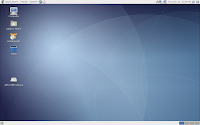 Installed Software Installed SoftwarePaldo's default package selection looks meticulously selected. It has GNOME as the default desktop, along with all the goodies ( GIMP, OpenOffice, etc), but with some extra non-free plugins. My screen resolution and wireless card were detected immediately, and MP3 playback worked flawlessly. My main problem was that the developers opted for Epiphany over the far-superior Firefox as a Web browser. On the plus, Epiphany's homepage is set to Google, a smart move. Upkg does not have a GUI front-end. You'll need to find the package names online via the repository search and install them over the command line. I hope there will be something like Synaptic in the near future, it shouldn't be too hard to write. Paldo includes a bizarre number of development tools. I know it's supposed to be source-based, but Gentoo doesn't have most of the tools Paldo does. Among the programs were Anjuta, Glade, MonoDevelop, a hex editor, and a diff viewer. Hmm... With MonoDevelop and Glade, maybe the developers want you to code a front-end for upkg! For media, there's the lightweight Brasero CD burning tool (which absolutely rocks), Totem for movie playback, the ugly, bloated Rhythmbox for music management ( Exaile gets my vote), and Sound Juicer for CD ripping. Putting Exaile in should solve the problems here. I'm starting to see a pattern, though: A lot of these apps are GNOME projects (like Rhythmbox and Epiphany). The Paldo devs need to learn that when it comes to GNOME projects, it would be a wise idea to not blindly stick to them, but to look for replacements that can do the job better. As far as how current it is, there's Linux 2.6.23.1, the stable until the flurry of updates on Friday, and GIMP 2.4.0, along with the latest GNOME at the time of writing. The latest Firefox is available in the repository (although it should have been on the CD), as is Compiz 0.6.2 (latest, again). Hardware SupportLike I said, my native 1280x800 screen resolution was detected flawlessly, as was my wireless card (an ipw3945). However, I had two major issues when I tried playing Tremulous. The biggest one was with my mouse. I use both a touchpad and a wireless, optical 3-button mouse (from Logitech). The touchpad worked flawlessly, but the mouse never left the bottom-right-hand corner of my screen in-game- but worked fine on the desktop. Huh... The second was performance. Tremulous on Paldo plays like Ubuntu, minus swap, and after a week of intense uptime. Nasty. The FPS rates were about 30% lower. GLXGears confirmed this. But this isn't really a hardware issue so much as a software issue- but still, with CFS and heavy optimizaton, where is all this lag coming from? PackagingUpkg is seriously the best package manager I've seen so far. The pre-configuration steps took about 5 seconds, and packages installed quickly from binaries. The source-building process was astoundingly fast. I installed openal and audiofile (a dependency) in order to play OpenArena, and here were the results: time upkg-build openal ... real 0m16.236s user 0m5.779s sys 0m0.987s 16 seconds to build two packages. It makes one wonder- is it really compiling them, or just installing them? According to the appropriate wiki page, the upkg-build command I used does, in fact, compile. Wow. That was just amazing. Pros:
-Upkg shows promise
-Customizable and flexible
-A clean, basic system
Cons:
-Slow and bloated
-No front-end to upkg
-Software selection needs tweakage
Friendliness: 4/5- The lack of a GUI frontend to upkg drags it down a bit. Performance: 2/5- Seriously, it's almost as bad as Fedora. Not what you'd expect from an x86-optimized distro with CFS. Features: 3.5/5- Meh, it's a complete desktop, but not much else. And besides, Firefox? Hello? Packaging: 4/5- Upkg is a great piece of software; it would be even better if someone coded a GUI for it like Portato. Artwork: 1.5/2.5- Kind of ugly... The developers should at least browse www.gnome-look.org for a bit. Hardware detection: 2/2.5- Mouse issues, but otherwise, fine. NOTE: This score was originally for "Community", but since Paldo's new, there isn't one, so N/A.  Overall: 3.4/5 Overall: 3.4/5- Could be a solid distribution with some more programs and a frontend to upkg. My sights are aimed at Fedora 8 and PC-BSD 1.4.1. PC-BSD is what I'm looking forward to the most, having tried it before back at version 1.11 and not really hated it that much. From Paldo 1.12, The DistRogue. Labels: gentoo, Linux, paldo, Reviews, sabayon
And the winner is...
 I might as well just stop blogging right now, because it might be over. I've found the perfect distro for me, and it was right under my nose the whole time. I'm writing this from Mandriva 2008, and so far, I don't see any reason to look beyond it (at least, for me to look beyond it) for a main distro. Really, nothing much has changed since the 2007.1 release. The MCC is still one of the best Linux control centers around (for almost anything), balancing a keep-it-easy-for-the-user philosophy with flexibility and a policy of not requiring the whole base system to be contorted in all sorts of ways (unlike openSUSE's YaST). The winning combination of i586 optimization and parallel booting ensures lightning-fast performance, a trait Mandriva passes on to its evil son, PCLinuxOS, and without the bloat of some other optimized distros (coughcoughcough Sabayoncoughcoughcough), it makes a solid gaming distro. But there were still some minor improvements this release. As is now tradition, Mandriva moved a step away from their corporate past by abolishing the " Mandriva Club", their VIP service for paying users. Version 2008 also comes with fresh applications and artwork, including, as always, a bleeding-edge GIMP version (2.4-rc2 this time). Compiz Fusion is now included by default, continuing the tradition of excellent 3D effects. Under the hood, Mandriva is now running Linux kernel 2.6.22.6 with CFQ I/O scheduling (not to be confused with CFS). There's a full list of changes for anyone interested. Installation and... bells?The installation and post-install configuration took about half an hour. I installed Mandriva right off my hard disk, but did a full KDE install from the enormous Free image, which didn't include iwlwifi drivers. I downloaded and installed them, and thanks to MCC, I had the system up and running in minutes.  I ran into a pleasant quirk: My system bell/beep never sounded. Turning it off had me tearing my hair out on openSUSE, and it was mildly annoying on Mint, but Mandriva shipped with it turned off. It's the little things that make Mandriva such a red-carpet distro. Performance aka pwnageGLXGears reported about 1150FPS, which was surprisingly low, but still better than most distros I've tested. I couldn't try out Tremulous because my ISP was apparently having a bad day, and it only works for online play. OMGWTFBBQMETISSE?! aka 3D EffectsAs usual, Mandriva ships with cutting-edge 3D effects. Last release introduced Beryl and Metisse. This time out, Mandriva ships with Compiz Fusion replacing both Beryl and Compiz. The drak3D wizard remain easy to use, with only 3 options: No acceleration, Compiz Fusion, or Metisse. Other areas/OverviewMandriva included both a traditional KDE menu and a shiny, usable (tabs switch when moused over- w00t) Kickoff menu, a la openSUSE and with a custom configuration and artwork. Speaking of artwork, Mandriva shipped with a noticeable amount of polish on everything. The KDE panel has the now-ubiquitous "glossy" feel to it, and the new wallpaper, usplash, and login splash artwork gave it a distinct feel of continuity. The Kickoff menu had the same artwork as the default KDE menu, giving it a much more professional feel. Finally, although Mandriva is mainly a French-developed distro, the English translations were flawless, unlike *some* foreign distros I could mention... Installing the task-kde4 package in RPMDrake gives you a complete KDE 4 desktop. I don't know why I overlooked Mandriva as a distribution before. It's cutting-edge, friendly, fast, and respectful to hardcore Linux geeks. In other words, it's just like PCLinuxOS . :P Really, the only difference between Mandriva and PCLinuxOS is that Mandriva is more bleeding-edge and PCLOS is a tad faster. If you want a simple, often-updated, and cutting-edge desktop, Mandriva is worth a look as much as it was back in 1998. Pros:
-Friendly without disrupting the traditional Linux setup
-Relatively fast
-Cutting-edge 3D effects
-MCC is as useful as it gets
Cons:
-Ubuntu is still better-supported
Friendliness: 5/5- As I remarked earlier, red-carpet service. Performance: 4/5- By cutting down on bloat and optimizing for an i586 architecture, Mandriva is as much a gaming system as a workstation. Features: 5/5- Bleeding-edge features, and a complete desktop out of the box. Packaging: 4/5- RPMDrake is second only to Synaptic, which PCLinuxOS uses. Artwork: 2/2.5- The artwork uses interchangeable color schemes, and is polished as usual. Community: 2/2.5- Combine the Mandriva and PCLOS communities together and you get a hell of a lot of (relatively) happy tech-support for free. Overall: 4.4/5- Mandriva's rise from their corporate ashes has been overshadowed by Ubuntu, but they're still very much alive. Labels: gaming, Linux, mandriva, Reviews
Review: openSUSE 10.3
After some assorted mishaps with some preview releases of openSUSE 10.3, it's finally stable enough for production use. And while I'm pleased with the result, I can't get rid of the feeling that the openSUSE team can do better.  OpenSUSE 10.3 brings some welcome changes. There's now a one-CD installation option, which is the biggest plus. I noted that a while back, and had trouble with configuring my wireless card because the drivers were on the non-OSS CD, while the rest of the system was on the main disk. 0.o That flaw has been fixed with the inclusion of the completely free/OSS iwlwifi drivers, making it the first distribution to use them correctly. ( Fedora 7 shipped with an earlier, unstable, and terminally broken version of them.) The iwlwifi drivers go with a general theme of better hardware detection. The install went quickly. For a change, I copied the ISO image onto my hard disk and booted into that, rather than burning a CD, and that sped up the installation a bit. The instructions are here. I still had problems with the display configuration (namely my mice), a bug that still needs to be fixed, but a little hacking in xorg.conf fixed it. Wireless still has some problems. I entered my WEP key and watched as the network manager applet (note to openSUSE devs: nice job with that, YaST2 is a PITA for wireless configuration) tried over and over to connect to my network, failing every time. I rebooted, and that seemed to solve the problem.  YaST2 is still a top-tier package manager, even if it sucks for everything else. The search options are second to none, and the installs go rather quickly.    Performance is a perennial issue with openSUSE. It runs an unnecessarily large number of services, and that slows it down. The problem is that a lot of them are either vital, useful (SUSE firewall), or badly labeled (in which case it would be a good idea to leave them alone). GLXGears ran at about 1060FPS in KDE, and switching to FVWM didn't have much effect on that. Hmm. And i586-optimized distros are supposed to be fast... openSUSE gave me my first look at KDE 4. for the most part, it was just a boring black background with a panel, a non-functional menu, and some desktop widgets. But it's a start. You can zoom into and out of the desktop, and the widgets show promise. Besides, this is only the second beta. It's an empty shell of a desktop right now, but it's a start.  I probably won't be using openSUSE as my main desktop. It's a good all-around distro, but it's designed to be a general-purpose distro. There's no one thing it's really good for, and the problems with performance and bugs are really putting me off.
Pros:
-Much better hardware detection
-i586-optimized, so it *should* be fast
-Friendly as ever
Cons:
-YaST2 means an annoyingly rigid system
-Bloated
-No real positives for some people
Friendliness: 4.5/5- Still some bugs that need to be worked out, but it's still good. Performance: 3/5- SLOW. This was a huge letdown for me. Features: 4.5/5- KDE 4, Kickoff, network manager, YaST2... Packaging: 5/5- As a package manager, YaST2 is still at the top of its class because of its search options. Artwork: 2/2.5- I personally prefer the blue theme from 10.2, but the new green theme is still pretty good. Community: 2.5/2.5- An IRC channel, a wiki, forums... Good enough for ya? Overall: 4.3/5- A vast improvement over the last release, but there has to be something better. I'm still looking for that "something better". I'll start with Debian. Labels: Linux, opensuse, Reviews, wireless
Review: SabayonLinux 3.4e
It's been a while, hasn't it? School really has a way of slowing things down. But now I'm back on track. Personal problems aside, it's well-known that Gentoo is one of the hardest distributions to install. So well-known, in fact, that there have been a lot of attempts to cut down on the install time by either automating the process or using binary packages. Sabayon Linux is one of the more important results to come out of efforts like these. Based in Italy, and named after a local dessert, you can tell it's going to be good almost immediately- guess who won the World Cup last year? The basic idea behind Sabayon back when it was still young and was called RR4 (read: late 2005) was to take a Gentoo system, compile it for an i686 architecture, and install it as a series of binaries instead of compiling the whole thing from scratch. But later, Sabayon began taking turns in different directions, eventually moving from XFCE to KDE as the default desktop and even including demo versions of Quake 4 and Cold War, along with other proprietary software that Gentoo would never dream of adding. The system was synced into Gentoo's Unstable repository, and the project took on a bleeding-edge philosophy. By version 3.4e, Sabayon had grown into a monster of engineering, and on the surface, seems like nothing more than a jumble of useless software. But that's not all. Sabayon is an entire distribution, not just a remastering of a parent distro. For once thing, Gentoo is notoriously hard to base a distribution off of, but Fabio Erluciani and company managed to get away with it by using a custom system of catalysts and overlays for Portage. It also has its own artwork, including one of the best color schemes I've seen. It has some "glue" for holding the diverse range of software together, such as a custom autodetection program for NVIDIA and ATI graphics cards to select (closed-source) drivers. Finally, in the works (and available as of version 3.4e) is an alternate package-management system called Entropy, featuring the Equo package manager, which works the way apt-get would, installing packages the way the main system is- using binaries instead of compiling everything. I got a copy of the 4.3-gig x86-32 DVD. It booted into a nice wizard for setting up 3D effects, complete with some music- a nice touch that can be disabled at boot time. After that, it went into a full KDE desktop with shortcuts to an obscene selection of games. Danger from the Deep? Torcs? FlightGear? God only knows how they got in there in the first place, but Nexuiz makes a good substitute to Quake, and Sauerbraten is still a great game. The install, with everything checked except KDE and 2D arcade games (package selection is new in 3.4, and a welcome improvement), took an hour and a half and took up 9GB of space. Wow. And they say Gentoo is slow... On the plus side, the miniEdition, a CD-sized version of Sabayon 3.3, installed in about 20 minutes, owing to its smaller (but still complete) software selection. For people who still like to build their own desktop, try the Core Install option in the install wizard. It installs a minimal text-mode system, from which you can emerge [insert desktop here] just the way you'd want it (except for the artwork- but that's not a bad thing). Performance was disappointing. Sabayon is supposed to be fast, but it took almost 2 minutes to boot on the first try, and only improved to 80 seconds on subsequent boots. Even with the "geeky" minimal Fluxbox environment, I could only get 1100 FPS in GLXGears, and Sauerbraten was nothing special- 20FPS. (Note: The map I use to test FPS is metl4, and I measure FPS by crouching behind the yellow armor with a grenade launcher. It's not great, but it's standardized. If you *really* want to give [insert distro here] a workout, try skycastle. It's an awesome map, but it's insanely laggy.) Tremulous was too laggy to play- but it felt cool to be able to tack "@Sabayon" onto my screenname. :) Entropy is still under construction, making it completely useless at the moment. Binmerge (an older package manager) is still there, but it doesn't work. Equo works perfectly, but so far, nothing can be installed. I had to stick with good ol' Emerge for package management. Sabayon includes a GUI to Portage called Portato, and a KDE version called Kuroo. I tested Portato, and it worked perfectly- just take my advice and don't do a world update until you have a LOT of free time. Update Portage immediately- version 2.1.3.3 has a nasty bug that slows it down. 3D desktop effects are pretty standard by now, but Sabayon, being the bleeding-edge project is, includes Compiz Fusion and Metisse instead of the standard Compiz Vanilla and Beryl. It also comes with the SabayonLinux Acceleration Manager (aka SLAM), an open-source wizard for setting up acceleration through the two desktops. Overall, Sabayon is a good desktop for beginners who want to live on the bleeding edge. It's a great way to ease newbies into Linux and show them what makes a distro work without the multiple-day installs of Gentoo.
Pros:
-Fast-ish installs (sort of)
-Considerably easy to use
-Customizable system via Core Install (for advanced users)
Cons:
-Non-Core-Install systems are slow
Friendliness: 4.5/5- In marked contrast to Gentoo. Performance: between 2.5 and 4.5/5- It really depends on how the system is installed. MiniEdition installs are pretty fast. Features: 5/5- Every conceivable program for Linux is on that DVD. Packaging: 4.5/5- Portage + GUI = l33t. Artwork: 2/2.5- Still needs work, but the general red-on-black color scheme is awesome. Community: 1.5/2.5- The forums are comfortably large, and the Freenode IRC channel is always welcoming. Overall: 4-4.4/5- Keep an eye on it as it matures. From Debian 4.0r1 (wink wink nudge nudge), The DistRogue. Labels: gaming, gentoo, Live, portage, Reviews, sabayon
Jumping ship: PCLinuxOS 2007 vs. Mint 3.0 "Cassandra"
I'm sure I've said it several times before, somewhere: Ubuntu isn't the universal answer. It also has its fair share of things that could definitely be improved if it wants to be a serious competitor to Windows. Basically, it isn't perfect. Of course, Windows and OS X aren't perfect either (or BSD or Haiku or whatever), but there are distributions that would be better suited to a complete Linux newbie than Ubuntu. Arguably two of the best are PCLinuxOS and Mint. I reviewed PCLinuxOS a while back, but it has matured incredibly in only a single release. Among other things, its rank on DistroWatch soared from just barely being in the Top 10 to clinching the #1 spot- and not letting go. Mint isn't so well-known. It's a fork of Ubuntu with a few added programs (such as a custom control center), new artwork, and a redesigned app selection. Background:PCLinuxOS is a fork from Mandriva, giving it a solid, easy-to-use base. Although Mandriva is fast out of the box, PCLinuxOS is even faster. It includes some non-free software, such as MP3 codecs, that other distributions lack. It also advertises a "PCLinuxOS Control Center"- although some quick inspection shows that it's nothing more than a rebranded version of the Mandriva Control Center. Finally, PCLinuxOS includes fresh artwork (which makes it look like Windows XP) and uses Debian's Synaptic package manager- slightly redone to accommodate Mandriva's RPM packaging system. Mint was created from Ubuntu with the original goal of adding non-free software for a more complete out-of-the-box experience. However, as Ubuntu began adding more support for said add-ons, Mint began adding some extras of its own. It includes its own, completely original (and customizable) control center, along with wizards for setting up WiFi, disk partitioning, and desktop settings. It also has its own Kickoff-styled menu called mintMenu, which is useful, stylish, and compact. Of course, it also has its own artwork, along with GNOME, KDE, and Xfce editions, each with its own "Light" edition (with only free software). Finally, in keeping with Ubuntu's tradition of unique names, the developers give each version a female name, with the first letter matching up to the major release number- version 3.0 is named "Cassandra", for instance. Live system/install:I installed both systems (using Mint's GNOME edition) from my trusty 1-gig USB key. PCLinuxOS booted into infinitely cooler artwork, but Mint detected my native screen resolution out of the box, thanks to onboard 915resolution hacks. The installs were both unusually fast- only a couple of minutes- thanks to the miracle of USB 2.0. Performance:Mint booted (from the GRUB menu to the login screen) in an astounding 35 seconds. PCLinuxOS followed with a respectable 43 seconds. I edited both systems to set aside 128MB of physical RAM for graphics acceleration and ran GLXGears from a fresh restart. Mint managed to crank out around 1120 FPS, did well in Tremulous, and reported 34 FPS in my Sauerbraten benchmark- about twice as much as Ubuntu. PCLinuxOS, on the other hand, raised that number to 44FPS, and scored in the 1400s in GLXGears. Useful stuff:
PCLinuxOS's control center is somewhat like the Windows Control Panel: it contains an endless number of options that you can click on to launch wizards to do various things. A lot of these wizards are incomplete, and you have to dive into configuration files in order to do less coarse tweaking. Nontheless, the PCLinuxOS/Mandriva Control Center is an extremely useful and extensive tool for system administration (basic user preferences can be adjusted with the KDE Control Center, also included).
 Mint has its own control center, but its main strength lies in its software selection. Among other things, it includes Java, Envy for installing closed-source NVidia and ATI drivers, amaroK for improved music management, and MPlayer for media playback. I was disappointed not to see Wine anywhere... :'( As with PCLinuxOS, it has its own control center, mintConfig. Although most of the programs in mintConfig are redundant with the also-included GNOME control center, the ones that aren't are good. mintDesktop is a simple, handy tool for setting up your desktop, and mintDisk can be helpful when working with a lot of partitions or removable media. It also has a tool for configuring X11 (relatively) safely, a feature planned for Ubuntu 7.10. mintConfig is also customizable, making it a good replacement for the GNOME control center- but not much else.  Overall, the choice between Mint and PCLinuxOS depends on your desktop preference. If you don't like KDE because it's slow, give PCLinuxOS a shot because of how blindingly fast it is. If you like Ubuntu's ease of use, Mint is worth a look. I'd go with Mint, but only because of a quirk in PCLinuxOS that makes my screen shut off (permanently) if I close it. Mint:Pros:
-Based on Ubuntu
-Runs fast
-Complete out-of-the-box experience
Cons:
-Control center is immature
Friendliness: 4.5/5- The control center helps slightly. Performance: 4/5- Not gaming-quality, but fast enough. Features: 5/5- Boxed app selection is great. Packaging: 4.5/5- Synaptic can't be improved upon very much, although DPKG is pretty slow... Artwork: 2/2.5- Soothing and professional-looking. Community: 2.5/2.5- Almost 100% Ubuntu-compatible means lots of support. Overall: 4.5/5- A great up-and-coming distribution, only expect it to improve as the control center matures.
PCLinuxOS:
Pros:
-Runs obscenely fast
-Useful, if unoriginal control center
Cons:
-May need some extra programs installed
-Inspiron E1505N users beware!
Friendliness: 5/5- The PCLOSCC is the killer touch here. Performance: 4.5/5- Beyond PCLinuxOS, you get into ArchSlackToo speeds. Features: 4/5- Could use a little work here... Packaging: 5/5- See above- but RPM is faster than DPKG. Artwork: 2.5/2.5- The 2007 release is famous for its artwork. Community: 2/2.5- The community is new, but growing. Overall: 4.6/5- If you're a newbie that needs a really fast system that helps you with everything you need, then look into PCLinuxOS. I'm waiting for my Sabayon 3.4e DVD to get here. Then, it's time for another long-overdue review. From Mint 3.0, The DistRogue. ***UPDATE:*** It is possible to make PCLinuxOS recognize your native screen resolution. In PCC, go to the Hardware tab, then click "Change Screen Resolution" to install 915resolution. Then, go to "Change Monitor" and select the appropriate resolution. Finally, change the resolution under "Configure Graphical Server". I'm still working on the fix for the screen suddenly shutting off. Labels: comparisons, Linux, mint, pclinuxos, Reviews, Ubuntu
Report from the bleeding edge: openSUSE 10.3 Alpha 7
The latest development snapshot on openSUSE 10.3 is supposed to be a great release. KDE 4 components (games and PIM, among others) starting to get integrated, a new single-CD install architecture, new packaging options... It's going to kick Ubuntu's behind! Right? Riiight... Always the skeptic, I decided to try it. I downloaded the images (KDE desktop and non-OSS addons) and burned not the advertised one, but two, disks (and if you want GNOME *and* KDE desktops, it'll be 3). I then started the install. The first attempt was a disaster. Restructuring the packages for one CD had seriously screwed stuff up. I tried it a second time with only the KDE CD, and at least got past the install. Then, I hit trouble in X. 0.o... A few well-placed # signs later, I was on my way to KDE. Alpha 7 brings with it a new color scheme, a nice industrial green that would look a lot better with the traditional blue. ;) Oh well...  I'm learning to appreciate the Kickoff menu, and the idea of being able to access most of my programs with just one click. For non-SUSE-ers, here's the idea: The menu opens when it's moused over, rather than only when it's clicked on. There are different tabs for commonly used programs, all other programs, administration, and other tasks. These tabs can be switched by mousing over them, rather than clicking them. It's also pretty amazing how they managed to keep with this philosophy while giving it a Windows-ish feel for incoming users. The amazing thing is that even though the standard KDE menu we know and love is in a different tab than the one that comes up, programs still can be launched with one click less than it would take on Kubuntu. Still, the Kickoff I used had some problems. Sometimes, it refused to launch when I moused over it, other times, the tabs wouldn't switch without being clicked. Geeko the openSUSE gecko still changes colors, though, and looks cute as ever. Wireless didn't work without the second disk, so I "upgraded" the system to do nothing more than install ipw-firmware- a feature that openSUSE has that most other distributions still lack. It now shows up under YaST2, but not ifconfig, and I'm fixing that as I type. So, let's see what the developers still need to fix: -X mouse configuration (Synaptics touchpads, to be specific) -Package breakage and "RPM hell" -Kickoff menu Not much to do in 2 months, is there? These are basic problems that you get from living on the bleeding edge. I bet Ubuntu's "Tribe" CDs for version 7.10 are pretty unstable, too. In fact, this is only the third alpha to use the single-CD architecture- which caused some major breakage. When openSUSE 10.3 comes out in early October, it'll be a force to be reckoned with. Until then, keep an eye on the development. Labels: Linux, opensuse, Reviews
Review: Pardus Linux 2007.2
I'm having some issues with Wolvix's HD installer crashing when it hits 86%, so I might not be able to review it. I'll try a USB install- assuming I can get my corrupted 512MB key formatted. If it's hardware-level, I'm fscked. If it's block-level, it's fscked. (You have no appreciation for geek humor...) For now, it's on to Pardus. Wait... Par-what? -Pardus is a rising distribution. -Pardus is made in Turkey. -Pardus has superb hardware detection. Right off the Live CD, it detected my native 1280x800 screen resolution and wireless networking card, a feat that only ELive 1.0 has matched. -Pardus uses KDE. Should give you a good idea of what to expect. Pardus comes in two varieties, "Calisan" and "Kurulan" images. The "Calisan" image is a live CD, while the "Kurulan" disk installs almost 3 gigabytes of software. (I did a "df" after the install.) The "Calisan" disk worked flawlessly, with the exception that I wasn't close enough to get any Wifi signals. It even, as I said, detected my native screen resolution. W00t. Once I was done with that, I moved on to the Kurulan disk. I read somewhere that a Pardus install takes up about 3.4 gigabytes of disk space, yet fits onto a single CD. The install itself recommended 4 gigs, but in reality, it only needed 3 for me. Maybe that has something to do with the fact that my /home folder was on a separate partition. The install was simple enough, easier than Ubuntu's, but it had 3 major flaws. Despite it taking up 3 gigabytes of disk space, there wasn't a package selection option. Second, it's impossible to install from a "Calisan" disk, which means that you'll need two disks in all. Finally, the install took a whopping 35 minutes- which could have been reduced by package selection. With 3 gigabytes of disk space to use, the install was more than complete. I didn't see Blender on the menu anywhere, but it included some of the more common add-ons, such as MPlayer, OpenOffice, SuperKaramba, Java, Flash, and a ton of games. But there's more. Pardus comes with some programs of its own. PiSi is the default package manager, with features such as searching, automatic updates, and dependency tracking. Mudur is the init system replacement, and because of it, the system boots noticeably faster. Configuration is handled by Kaptan, a first-run configuration system, and Tasma, a somewhat-expanded control center that looks suspiciously like KDE's control center. It also came with a custom icon theme. It also comes with a proprietary installer and firewall. Package numbers were limited, but I found everything I wanted except for XFCE. That was annoying. Performance was another matter. KDE runs slowly, and without XFCE at my disposal, Tremulous was only slightly faster than on Ubuntu, and was left in the dust by Elive. GLXGears said otherwise, but since when was it reliable? Still, Pardus with KDE is faster than Ubuntu with GNOME, and that's saying something. Pardus is a distribution worth watching. It's friendly, relatively fast, and complete. There are some issues, like the limited repository size, but that's just because it's in its nascent stages. Pros:
-Easy to install and use
-Install includes a ton of programs
-Faster than most distributions, including you-know-whobuntu
Cons:
-Installer and packaging need work
Friendliness: 4/5- The team clearly put some effort into usability. Performance: 4/5- KDE slows it down, but just a bit. Features: 5/5- Uber-complete single-CD install. Packaging: 3.5/5- Interesting proprietary installer. It would work well with a bigger repository. Artwork: 2.5/2.5- Custom icons look good, and Kaptan allows you to get the desktop set up exactly the way you want it. Community: 1.5/2.5- It's a Turkish distribution, and the English community isn't all that big. Yet. Overall: 4.1/5- A distribution worth watching. From Pardus 2007.2, The DistRogue. Labels: pardus, Reviews
Review: ELive 1.0
I've always found the Enlightenment desktop fascinating. Maybe it has something to do with all the shiny. It's a great balance of eye-candy and performance, and with a little tweaking, can be turned into an awesome desktop system. That's what ELive is. It's a live CD (installable) based on Debian 4.0 and using the Enlightenment desktop- both E16 and E17. The boot process went smoothly (despite being interrupted occasionally by some dialog boxes), and the install icon was easy to find. The fact that it was animated helped a fair amount. Hardware detection was incredible; my native 1280x800 screen resolution and dual-core processor were detected out of the box, and my Intel PRO/Wireless card only needed a package to be installed. The desktop theme was also great. Since I'd already tasted E17's default "Bling" theme (the one with all the shiny), I went for a faster E16 desktop and tried the new "Night" theme, which was too subdued for me. IceWeasel (a completely FOSS fork of Firefox, aka "The browser, renamed") included the iFox theme, giving it a nice OSX look. Engage wasn't turned on by default in E17, but it was a nice touch. ELive also included a ton of programs. It came with Blender for 3D modelling, Kino and Cinelerra for DV editing, The Gimp for image editing, and both Thunar and Midnight Commander for file management. Its default app selection was far better than Ubuntu's. Speaking of Ubuntu, performance was incredible. ELive ran GLXGears at about 50% faster than Ubuntu, and Tremulous ran at a solid 75FPS floor in the test area (I use the spot just outside the tower on ATCS). Ubuntu can dip below 60. Despite all the great things about Enlightenment, some parts of it felt cheaply made. The screen where themes and such are selected was built using the text-mode NCurses interface, rather than a more pleasant-looking graphical screen. The Fedora people understand this- most of their graphical config utilities were made with PyGTK, even the X configuration screen and interactive boot splash, which use Framebuffer instead of X! And for some twisted reason, the developers didn't think it would be a good idea to put a "Log Out" button in plain sight. Clicking on the desktop brought up ANOTHER menu (in addition to the right-click) which did the trick. I also ran into issues with sound. To test the sound, I loaded a song into MPlayer, hit "Play", and threw off my headphones just before the guitars came in. Yeah, sound works fine in ELive, but the default volume is turned all the way up. Just a caution. Learn from me, and don't use a song by Marilyn Manson to test speaker volume. But don't let the little things bother you. ELive, as of version 1.0, is a solid, fast distribution for desktop use.
Friendliness: 4/5- I found ELive pretty easy to use. There's a reason they call it "Luxury Linux". But work on the little things for v1.1, aight?
Performance: 4.5/5- Clobbered Ubuntu. Enlightenment is a fast desktop, and Debian is a fast distribution.
Features: 4.5/5- Included a lot of programs that went beyond the standard feature set.
Packaging: 4.5/5- Don't worry, it uses Synaptic, just like Debian.
Artwork: 2/2.5- If you don't like one theme, try the other.
Community: 1.5/2.5- A bit skimpy on documentation, but the forums are still there...
Overall: 4.2/5- Give it a try. The downloads page asks you for a donation, and the non-donation download link is broken, but there are plenty of torrents.
Up next: Wolvix. But that might not be for a while. I'm moving to Spain for a year, and I might have to post the review through the WiFi access at the airports I'll be at.
From ELive 1.0,
The DistRogue.
Labels: Caveats, elive, enlightenment, Reviews
It's here.
The laptop got here today. I've already repartitioned the hard-disk setup. 40GB for /home should be enough... Next up: A review of Ubuntu, Xubuntu, and Ubuntu Studio 7.04. PCLinuxOS follows that, and after that, it's time for a little-known Slackware derivative from Canada: Vector Linux. (It's Canadian, and they seem to do everything more sensibly than us Yanks, so you know it'll be good...) So far, it looks suspiciously like Zenwalk. They're both XFCE-using Slackware derivatives aimed at novices, they both come from French-speaking countries, they both have separate Live/Install CDs... Still need to install Ubustu over Ubuntu and Xubuntu and add an SMP kernel, though... From Xubuntu Feisty, The DistRogue. Labels: future, pclinuxos, Reviews, shameless, slackware, studio, teasers, Ubuntu, ubustu, vector, xubuntu
Review: openSUSE 10.2
I'll admit, right now, that my experience with openSUSE 10.2 was much better than the horror story that was SUSE 10.1. Maybe they really did make the changes that 10.1 needed to become viable. Maybe it was just that I installed KDE instead of GNOME. In any event, I was seriously considering using it as a main system, but it strikes me as more of an enterprise system than a home OS. The CD I used to install openSUSE wouldn't boot. A minor setback, but I got it working anyways, with the help of the network install CD. After a few hours, I had a working KDE desktop. And a slightly creepy one...  The color-changing lizard was cute. The eyes that followed my mouse cursor were kind of freaky... And yes, the so-called "Kickoff" menu does take some getting used to. What happened to the KDE menu we know and love (or hate)? YaST, or Yet Another Setup Tool, is used for everything. And I mean everything...    Everything from package management to AppArmor control to X11 configuration... YaST covers it all. You can use YaST to lock down your computer to almost any attack or just to install some games. Speaking of games, YaST claims my install comes with kernel headers, which are required to install NVidia 3D acceleration drivers, but those were the first problems it ran into. Performance was poor, as you can see:  GLXGears isn't really a benchmarking tool, but I can easily get over 350FPS on my laptop, through Knoppix. (Aren't Live CDs supposed to be slow?) And because of the lack of 3D drivers, I couldn't test-drive the famed Xgl/Compiz effects, either. :( openSUSE is, in my opinion, a decent desktop. It has plenty of features, most of which are aimed at the corporate/server market, as opposed to SoHo users like you and me. It would make a nice enterprise desktop (enterprise-class features for free), and a rock-solid server, but as far as features the average desktop user would like, Ubuntu is still a better choice. Friendliness: 4/5- Windows users won't turn up their noses at YaST, and welcome the idea of a centralized control panel. Performance: 3/5- Maybe it was KDE, but openSUSE is a slow, somewhat bloated distro compared to others. Features: 4.5/5- Feature sout the wazoo. Doesn't get a 5 because they aren't as practical. Packaging: 4/5- YaST is a great package manager. No, really. I see some major potential in it. Overall: 3.75/5- The shiny polish makes it clear that this is an enterprise OS. Thanks for waiting. Now, it's on to the good stuff... ;) From Xubuntu 7.04, The DistRogue Labels: Linux, opensuse, Reviews
Why I love- and hate- Mandriva
Remember Mandriva? I did a review on it a while back, saying that it was best suited for newbies with well-paid administrators. Well, here's what I overlooked: - EasyURPMI: I said that URPMI/RPMDrake, Mandriva's package manager, was a pain in the patookie to use, and that it was only good for removing packages because it didn't have any sources. Enter EasyURPMI, an easy was to get RPMDrake up, running, and, most importantly, installing programs. Now that I've tried RPMDrake, which, among other things, has dependency tracking, it rocks! - Metisse: Okay, I didn't exactly overlook Metisse so much as fail to wait for it, but it's still cool. Mandriva claims that Metisse isn't a 3D desktop, but in some ways, it's more 3D than Beryl or Compiz. It is now officially my favorite 3D desktop, and I haven't even used it. - XFCE support: Yep, the next version, due out within a week, will have an XFCE version. With Metisse! - MCC Partitioning: The Mandriva Control Center's built-in partitioning might not seem like much, but it just saved me. After getting the desktop computer back from the techs, I was unable to install Linux because of a partitioning screw-up. I used MCC to format the errant partition, and now, it should work. MCC succeeded where Xubuntu's GParted and Knoppix's QtParted failed. - New release cycle: Yes, I said the next version will be out in a week. There are some minor bugs that still need to be squashed, according to a developer blog, but if all goes well, the next version of Mandriva, version 2007.1 "Spring Edition", should be out in, say, 5 or so days (just a random educated guess). It was supposed to be out 2 days ago. Mandriva's returning to their roots! Then again, there were some issues with the CD that were thrown into sharp relief recently: - AIGLX and NVidia: For some reason, Drak3D doesn't allow AIGLX effects with NVidia graphics cards (or at least mine). Huh... Xgl is good enough for me, anyways. - My life flashed before my eyes when I tried installing it. Why? I chose the "Use Existing Partitions" option, and it jumped to file copying- without asking me what partitions I wanted to use. Scary stuff. I thought I'd wiped the Windows partition my parents use! But no. Here's why: - It didn't format any partitions.
- Of course, it could have copied the files directly without any formatting...
- No. Mandriva can't even read NTFS drives, much less write to them. (A flaw I hope to see fixed in the next release...)
- In any event, I had the infamous, loathed Windows flag on-screen in a minute.
I owe Mandriva a re-scoring. The DistRogue's apology in numbers: Friendliness: 5/5- Mandriva, like I said before, is practically as user-friendly as Windows, and I'm staying by my words there, at least. Performance: 4/5- Compiled for a Pentium and uses parallel booting. The NVidia drivers are slow, but the Discovery and PowerPack editions have faster ones. Features: 4.5/5- Lots of stuff on the One edition. Even more stuff on the multi-CD editions. Seriously, who else has Cedega? Or LinDVD, which I've never even heard of? Packaging: 3.5/5- EasyURPMI is an unecessary step that they need to eliminate at some point. But RPMDrake is easy to use and flexible. Overall: 4.25/5- A solid distribution that will get even more solid in a matter of days. Expect Features to get a bump up to 5, and Performance to rise with the addition of XFCE. From Mandriva 2007.0 One, The DistRogue. Labels: Linux, mandriva, Reviews
Review: Xubuntu 6.10 "Edgy Eft"
Slashdot has gone after Ubuntu Linux several times (like in this article) for its many flaws. However, true fans of Ubuntu know that, like any open-source project, its true strength lies in the community. For every problem Ubuntu has, there's a script to work around it. No built-in NVidia drivers? Envy. Need more apps? Automatix. With the release of Ubuntu 6.10, aka "Edgy Eft", the focus wasn't on adding new features so much as basic enhancements, such as making it run faster. Since there're already way too many reviews for Ubuntu, I decided to see what was new in my favorite variant on it, Xubuntu, which runs XFCE as the desktop environment, instead of Ubuntu's GNOME. ==Install and upgrade==I didn't happen to have a working Xubuntu 6.10 CD handy, so I had to use my 6.06 disk. The install was easy, and after the reboot, I upgraded to Edgy. Launching the Upgrade Manager and clicking the big, tempting button labeled "Upgrade" can, has, and WILL break your system! The workaround goes like this: - Launch a Terminal window.
- Type in "sudo nano /etc/apt/sources.list" and press ENTER.
- Enter your password and press ENTER again.
- Change all instances of "dapper" to "edgy".
- Press Ctrl+O, ENTER, and CTRL+X.
- Type in "sudo apt-get update; sudo apt-get dist-upgrade" and press ENTER.
- Wait for the upgrade- this might take a while.
- Type "sudo apt-get clean" and press ENTER.
- Reboot.
If you're scared about an upgrade breaking your system, try that. ==Apps and looks==I personally thought that the version of Xubuntu's default Clearlooks theme, which the last version used, was a bit... flat. Well, the updated version of Xubuntu's default theme was a welcome improvement:  There's also new boot-splash artwork, and a more sophisticated-looking GDM screen. All of which is a welcome improvement. Xubuntu comes with a surprising number of cool apps. There's the GIMP, the famous open-source Photoshop replacement:  XFCE's media player, Xfmedia, wasn't too bad...  ...but the PDF "playback" was a bit weird.  Xubuntu's a minimalist system by default, but it's enough. ==Customizing Xubuntu==Ubuntu and Kubuntu have an improved init system called Upstart, but why should they get all the fun? Why shouldn't Xubuntu have boot speeds so fast that one reviewer wondered whether the Live CD had even shut down completely, after his first boot? Answer: It can. The code is " sudo apt-get install upstart". If you're feeling paranoid, back up /sbin/init, but I didn't have any problems. I noticed a speed boost in the startup, but it's not always as dramatic as that guy said. On my system, an AMD Athlon XP at 1.4GHz (with 1GB RAM), the startup time dropped to 35 seconds. If you're having problems getting your NVidia graphics card to work, head over to Alberto Milone's site, the home of the Envy NVidia installer. Technically, it works with any distro, but it's intended for Ubuntu or Debian, since it uses their apt-get system for installing the driver's dependencies. To use it to install the NVidia driver: - Download the file.
- Install it with dpkg or GDebi.
- Enter runlevel 1 by pressing Ctrl+Alt+2. Then, log back in.
- Run the script with "sudo envy".
- Press 1, then ENTER.
- The script will install the driver's dependencies, download the driver, and launch it, and while this is happening, you might want to get a cup of coffee or go to a rock concert.
- Follow the instructions in the driver's install wizard. Most of them, you can just press ENTER.
- It'll start X again after it's done. If all goes well, you should see the NVidia splash screen before XFCE starts.
- Game to your heart's content. I recommend SuperTux Mi1.9.
Mostly, this consists of doing absolutely nothing. Fuuun.
If you want a ton of kewl stuff, such as Swiftfox or Democracy, without having to do a ton of work, Automatix is worth a look. To install... well, anything:- Add the GPG keys: "echo "deb http://www.getautomatix.com/apt edgy main" | sudo tee -a /etc/apt/sources.list; wget http://www.getautomatix.com/apt/key.gpg.asc; gpg --import key.gpg.asc; gpg --export --armor 521A9C7C | sudo apt-key add -". Copy and paste that huge block of code, and hit ENTER.
- Install Automatix: "sudo apt-get update; sudo apt-get install automatix2".
- Launch Automatix; it should be under Main Menu > System.
- Check all the apps you want installed. Then, click "Start", and pray that your iPod's playlist lasts long enough to keep you occupied while Automatix is doing what it does best.
- Have fun.

==Installing Beryl==
Beryl is a set of 3D desktop effects that make bizarre things happen on-screen. For instance, a Beryl desktop might have windows that wobble when they're moved. Or a cursor that makes ripples when it moves, like a duck on a pond. Or transparent windows that float on each other. Or... well, let your imagination run wild for a bit. Point is, it's awesome. There's a tutorial on Beryl's wiki that lets you install it yourself, on any desktop (including XFCE)- but it's only for apt-based distros like Ubuntu, and you need a graphics card with an appropriate driver installed. Read it here. There's also an instruction manual here- READ IT. This screenshot is only a taste of what Beryl can do. If you've ever seen a cube on someone's screen with their desktop on it, that's another example- probably one of Beryl's more famous effects. ==My opinion==Xubuntu Edgy is a major improvement over the last version. It's fast, cool-looking, and easily expandable. If you have an Internet connection, give the companion apps a shot. Pros:
- Fast
- Looks cool
- Expandable with community apps
Cons:
- Nothing major; some minor bugs
Friendliness: 4.5/5- With these tutorials, it's easy to get basic tasks done. Performance: 4.5/5- XFCE + Swiftfox + NVidia drivers + Upstart = Mad l33t. Features: 5/5- Standard set included, myriad of stuff easily installable. Packaging: 5/5- Apt-get and Synaptic. What could be easier? Overall: 4.75/5- Xubuntu is an awesome OS. Ubuntu is probably even better. And a PS: Back to sources.list, and change "edgy" to "feisty" to join the "herd". From Xubuntu 6.10, The DistRogue. Labels: Reviews
|


